
Document processing automation that checks its own work
For finance, legal and operations teams buried in PDFs, scans and email attachments. AI reads each document, extracts the fields you need, validates them against your rules and sends anything uncertain to a person before it reaches your systems.
- Timeline
- 2 to 4 weeks to first version
- Best for
- Teams handling hundreds of similar documents every month
- Usually starts with
- One document type, usually supplier invoices or bank statements
Agent flow
What is document processing automation?
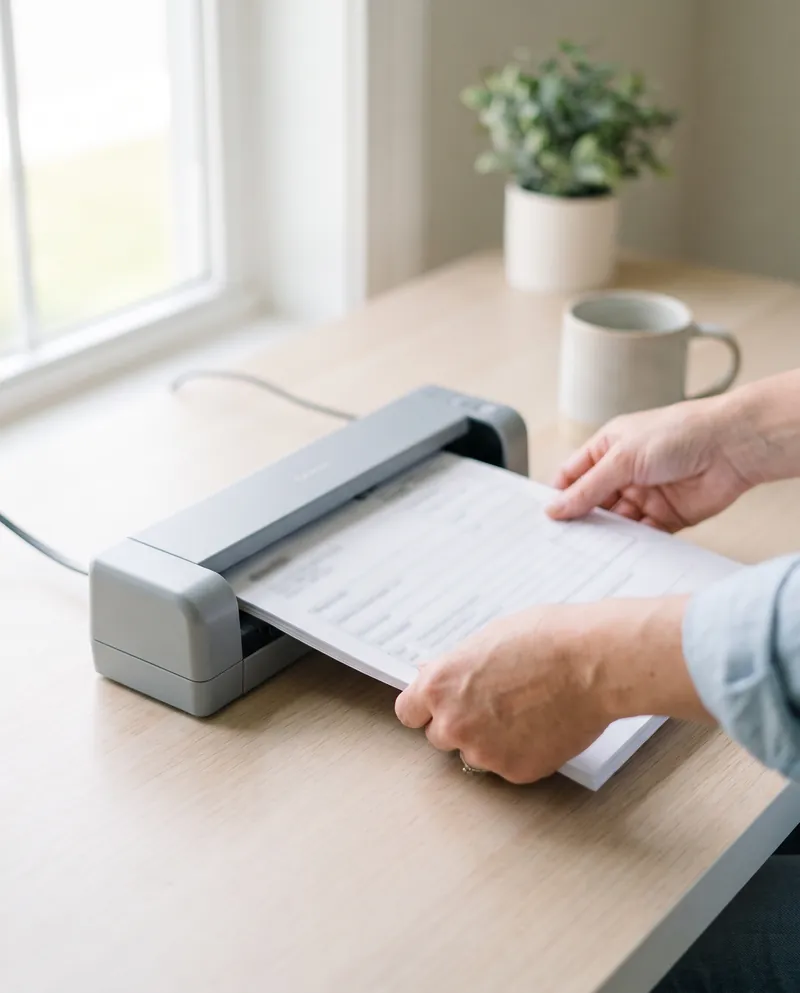
Document processing automation uses OCR and AI models to read documents such as invoices, bank statements, IDs and contracts, pull out the fields you need and send that data to your systems. Each field gets a confidence score. High-confidence results flow straight through, while low-confidence or rule-breaking ones go to an exception queue for a person to check.
- Handles PDFs, scans, phone photos and email attachments
- Confidence thresholds decide what passes straight through or goes to review
- Validates totals, dates and IDs against your existing records
- Exports to QuickBooks, Xero, your CRM, a database or spreadsheets
Typical Document processing we ship
Each one scoped and quoted at a fixed price after a free review of your process.
Supplier invoice data entry
Invoices arriving by email are read line by line, matched to purchase orders and drafted as bills in QuickBooks or Xero, with mismatched totals held for your accounts team to approve.
Bank statement extraction
Statements in PDF or scanned form become clean transaction tables, categorized and reconciled against your ledger, which shortens month-end close and makes loan or audit preparation far less painful.
ID and KYC document checks
Passports, driving licenses and proof of address are read, compared with the details a customer entered and checked for expiry, with any mismatch or blurry image sent to a reviewer.
Contract clause extraction
Signed contracts are scanned for parties, dates, renewal terms, notice periods and liability caps, and the results go into a register that alerts you before key deadlines arrive.
Forms and applications intake
Handwritten or typed application forms, patient intake sheets and claim forms are digitized, checked for required fields and pushed into your system, so staff only review incomplete entries.
Receipts and proof of delivery
Drivers and field staff photograph receipts or signed delivery notes, and the system reads amounts, dates and signatures, attaches the image to the right job and flags any missing proof.
A typical build, end to end
Turns invoices, forms and contracts into clean data in your accounting and CRM.
What changes for your team
Staff key invoice lines into accounting software one field at a time.
Invoices arrive as draft bills, and staff only review flagged fields.
Bank statements are retyped into spreadsheets before every reconciliation.
Statements become categorized transaction tables within minutes of upload.
Contract renewal dates surface only when someone rereads the PDF.
Every contract's key dates sit in a register with automatic reminders.
Four steps, one fixed price
- 01
Collect sample documents
We gather 50 to 200 real examples of each document type, including the messy ones, and agree on the exact fields you need.
- 02
Set accuracy rules
Together we set confidence thresholds and validation checks for each field, deciding what flows straight through and what always needs a person.
- 03
Build and measure
We build the extraction pipeline, run it against your samples, measure field-level accuracy and tune it until results meet the agreed thresholds.
- 04
Launch with review
The first weeks run with a review queue on every exception, and your team's corrections are used to improve the rules.
How AI document data extraction works
Modern document processing combines two steps. OCR turns the page image into text, including scans and phone photos. Then an AI model, such as GPT, Claude or Gemini, or a specialist service like Azure Document Intelligence or Google Document AI, reads that text and identifies the fields you asked for: vendor name, invoice number, line items, tax and total. Unlike older template tools, it does not need a fixed layout for every supplier, so new formats rarely require extra setup.
Extraction alone is not enough, because even a strong model occasionally misreads a figure. That is why every pipeline we build adds validation. Line items should add up to the subtotal, dates should be plausible, tax IDs should match a known format and supplier names should exist in your records. A document that fails any check is treated as uncertain, regardless of how confident the model claims to be.
Confidence thresholds and exception queues
Each extracted field gets a confidence score, and you decide the threshold for each one. An invoice total might need 95 percent confidence to pass automatically, while a reference note can pass at a lower level. Anything below the threshold, or failing a validation rule, goes to an exception queue. A reviewer sees the original document beside the extracted values, corrects what is wrong and approves it in a few seconds.
The exception queue is where trust is built. In the early weeks more documents go to review, and your team can see exactly what the system gets right and wrong. As the rules improve, the queue gets shorter. Payments, filings and customer decisions always stay behind a human approval step, so the automation speeds up the reading and checking while people keep control of what happens next.
Secure processing for invoices, IDs and financial documents
Bank statements and passports carry sensitive personal and financial data, so the setup matters as much as the accuracy. We can process files in your own cloud account, use AI providers under business terms that exclude training on your data, and restrict who can open the review queue. For EU and UK clients we design for GDPR, in India we follow the DPDP Act, and for US healthcare documents we use HIPAA-aware setups.
We also set retention rules. Many teams do not need to keep raw images once the data is verified, while others must keep them for years for audit reasons. The pipeline follows whichever policy you choose, removing or archiving files on schedule and logging every access. An NDA is available before you share any sample documents with us, and samples are cleared from our side once the build is finished.
Document Processing Automation questions
How accurate is AI invoice and document extraction?
Accuracy depends on document quality and layout variety, so we measure it on your own samples before launch rather than quoting a generic number. Clean digital PDFs usually extract very reliably, while faded scans and handwriting need more review. Confidence thresholds and validation rules make sure uncertain fields go to a person instead of slipping into your books.
Can it handle scanned documents and phone photos?
Yes. The pipeline runs OCR first, so scans, photos and image-only PDFs are supported. Very low-quality images, such as blurry photos taken at an angle, will usually fall below the confidence threshold and go to the review queue. For field teams we can add a capture app that checks image quality before upload.
What happens to documents the system is unsure about?
They go to an exception queue. A reviewer sees the original page next to the extracted values, with uncertain fields highlighted, then corrects and approves them. Nothing below your confidence threshold reaches accounting, your CRM or a customer without that approval. Corrections are logged and reviewed to improve the rules over time.
Is our financial and ID data safe with this setup?
We design for it from the start: processing in your own cloud where possible, AI providers on business terms that exclude training on your data, access limited by role and retention rules you set. We sign an NDA on request and follow GDPR, DPDP Act or HIPAA-aware practices depending on where you operate and what you process.
Do we need a separate tool for every document type?
No. One pipeline can handle several document types, routing each to its own extraction rules. We usually start with the highest-volume type, prove accuracy, then add others in later stages. Each stage is priced in the fixed quote, and you own the code, prompts and accounts once the project is handed over.
Often built together
 Workflow AutomationTurn repetitive handoffs between apps and people into workflows that run on their own.
 Email and Inbox AutomationSort shared inboxes, draft replies for approval and file attachments where they belong.
 AI Agent DevelopmentCustom AI agents that do multi-step work across your tools, with a person approving key calls.
Get a fixed quote for your Document processing
Send two lines about the process you want to hand over. We reply within one business day with what we would build, the tools involved and what it would take.
- 30-minute call, no slides, no pressure
- One fixed price before any work starts
- You own every workflow, account and line of code